
What Consent Mode is
Google Consent Mode is the mechanism through which a website tells Google tags what the visitor has chosen about cookies. GA4 and Google Ads tags then adjust their behaviour: they use cookies and send full data only for the categories that were accepted.
It works in two steps. Before any choice is made, the site sets a default state, usually “denied” for all optional categories. Once the visitor chooses, the banner sends an update with the new state.
What Google has required since 2024
Since March 2024, Google has enforced its policy on the consent of users in the European Union more strictly. For traffic from the European Economic Area, its platforms expect the site to pass on each visitor’s choice explicitly, through Consent Mode v2.
Version 2 added two signals:
ad_user_data: whether the visitor’s data may be sent to Google for advertising purposes;ad_personalization: whether the data may be used for personalised advertising, such as remarketing.
If these signals are missing or are sent too late, features such as remarketing audiences and conversion measurement may be limited.
The seven signals, by category
Consent Mode v2 uses seven signals. A well-built banner groups them into categories that visitors can understand:
| Category | Signals | What it allows |
|---|---|---|
| Strictly necessary | security_storage | Store functionality and security. Always active. |
| Preferences | functionality_storage, personalization_storage | Keeping settings between visits, such as language. |
| Statistics | analytics_storage | GA4 cookies for returning visitors and sessions. |
| Marketing | ad_storage, ad_user_data, ad_personalization | Ad attribution, enhanced conversions, remarketing. |
Each category controls only its own data flow. If a visitor accepts statistics and declines marketing, Google Analytics can measure the visit, while the data intended for advertising stays blocked.
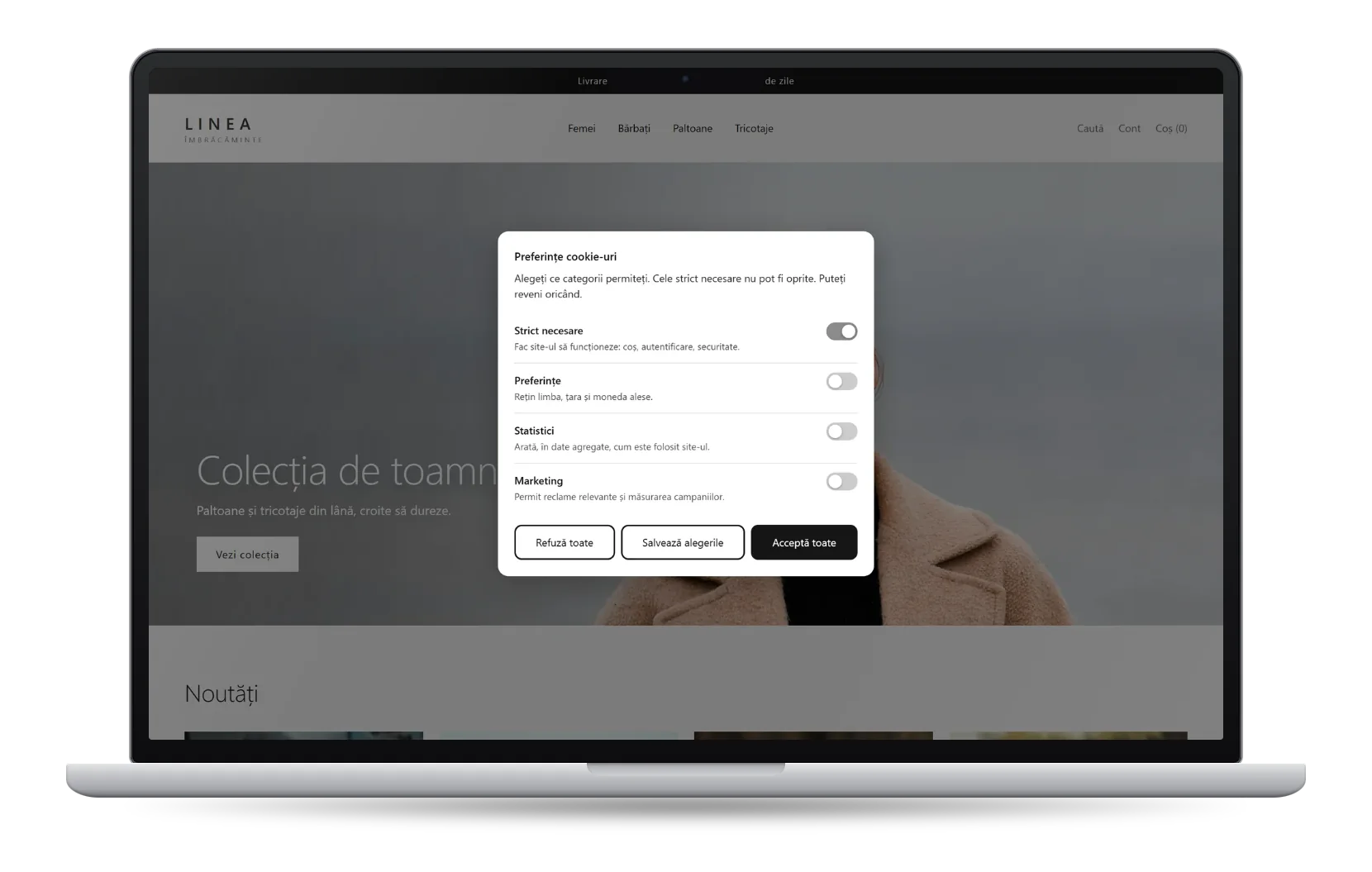
From choice to data
In short, a visitor’s choice travels as follows:
- The visitor choosesAccepts, declines or chooses by category, on the first visit.
- The banner sends the signalsThe state of each category reaches Google before the tags.
- The tags respect the choiceGA4 and Google Ads use only the permitted categories.
Example: statistics accepted, marketing declined
analytics_storagegrantedad_storagedeniedad_user_datadeniedad_personalizationdenied
What to check in a store
A few questions show whether a store passes on consent correctly:
- Do Google tags fire before the visitor has chosen? The default state must be set before GA4 or Google Ads load.
- Does the banner offer separate categories? Two buttons, “Accept” and “Decline”, do not allow consent by category.
- Can the visitor withdraw consent later? Withdrawal must be as easy as giving consent, under Article 7(3) of the GDPR.
- Do two banners appear at the same time? This usually happens when Shopify’s native banner stays active alongside an app.
On Shopify
Consentia was built for this setup: a consent banner for Shopify that sends all seven Consent Mode v2 signals, by category, before Google tags load. Details are on the Google Consent Mode page.
Source for Google’s requirements: Google Tag Manager Help.